
Publisher disclosure: Raz Labs makes FingerWag and publishes this site. This comparison uses official product descriptions checked September 7, 2026; it is not an independent detection-rate test.
Compare iPhone spam text filtering options
| Option | Approach | What to check |
|---|---|---|
| Apple Messages | Built-in screening separates unknown senders. iOS 26 also includes message filtering controls. | Start here if your goal is quieter notifications. Screening does not create your own keyword rules. |
| FingerWag | On-device rule packs, custom phrase and sender rules, and allow rules. | Best suited to people who want to tune recurring patterns. Free download with in-app purchases; check the App Store for current terms. |
| TextKiller | The developer advertises predictive SMS detection and an updated global blocklist. | Evaluate if you prefer automatic detection. Review its current subscription and privacy terms; we have not independently tested its effectiveness claims. |
These are different approaches, not a measured ranking. If your problem is a group iMessage conversation or a saved contact, use group controls or sender blocking first.
What FingerWag looks like on iPhone
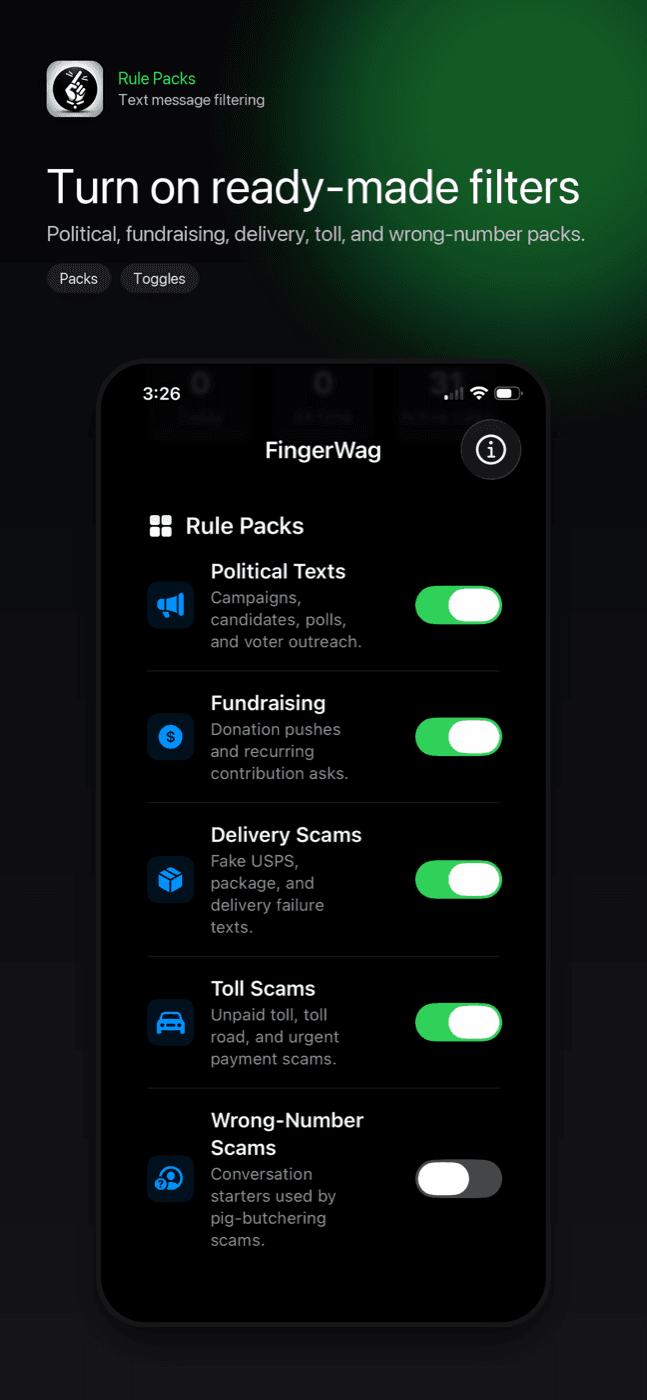
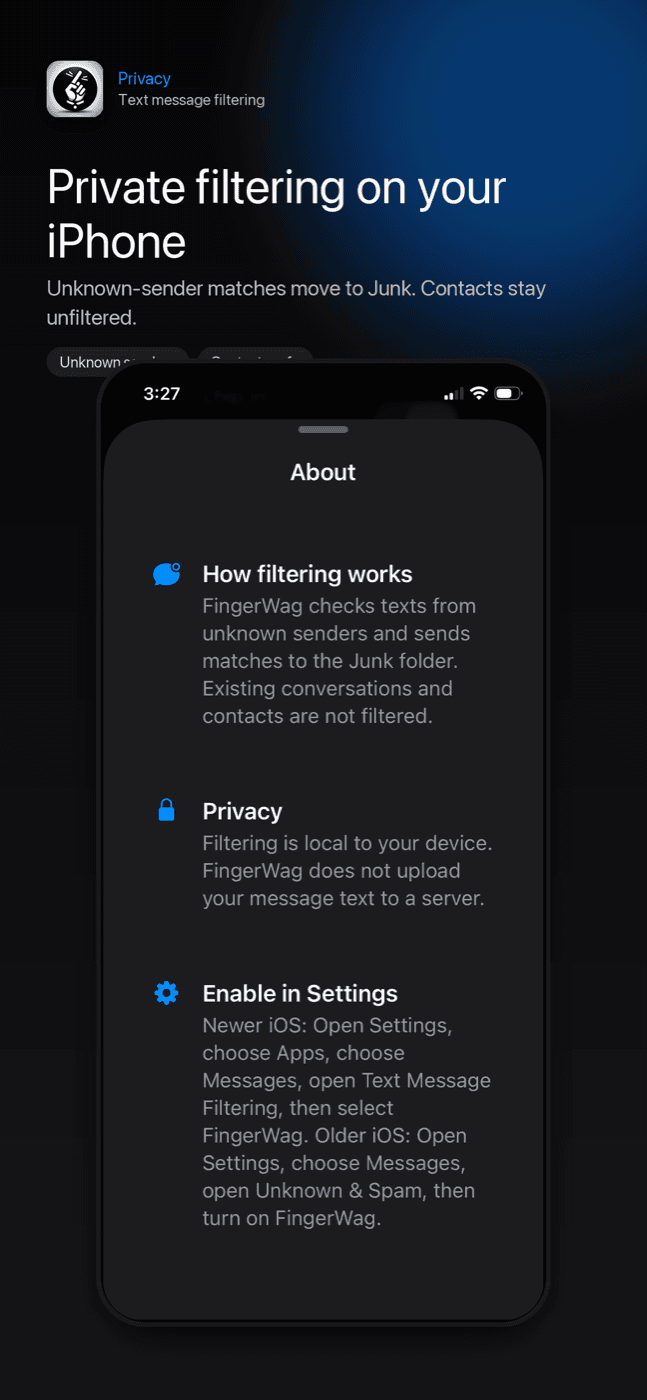
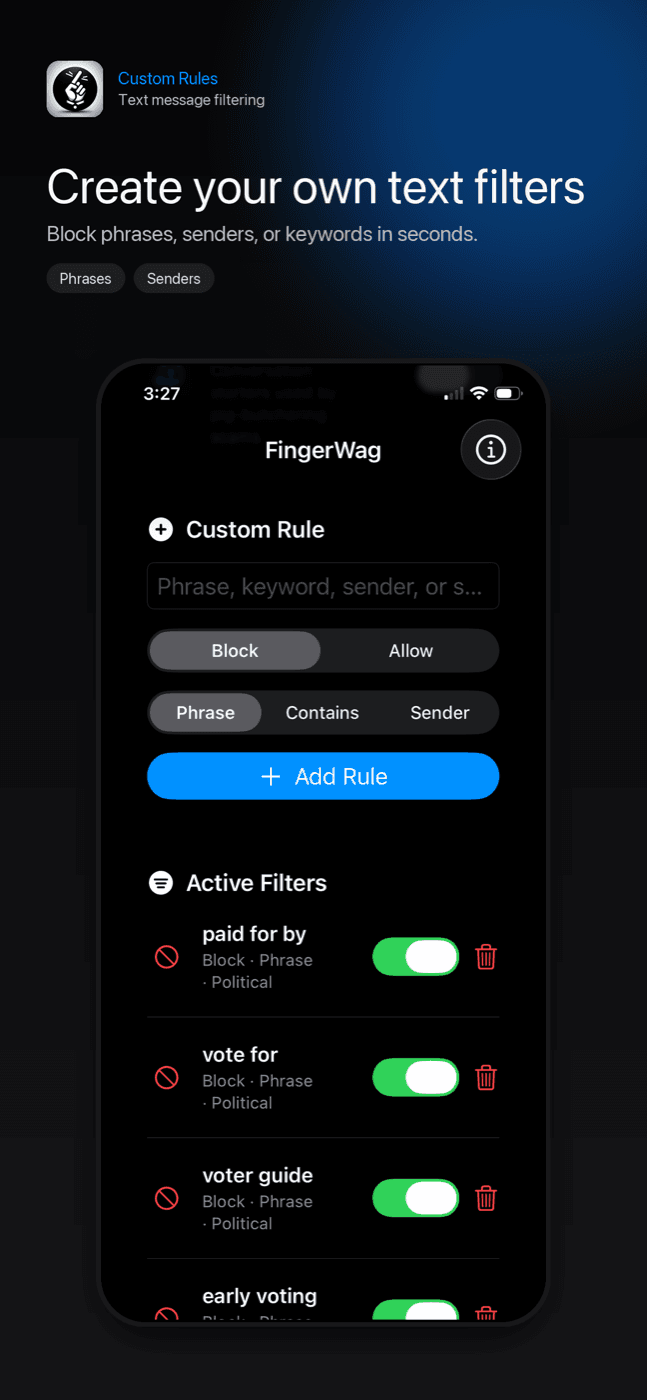
FingerWag combines rule packs, custom filters, and Apple's Text Message Filtering setting so spam text blocking stays under your control.
Best if you want control, not just a blacklist
Many spam campaigns change numbers faster than you can block them. A good iPhone spam text blocker should help with the pattern behind the message: the repeated phrase, category, sender fragment, or scam theme. That matters for toll scams, package scams, account alerts, political fundraising, and group spam.
Look for on-device filtering
Spam texts can contain sensitive information. FingerWag is designed to avoid uploading message content and to keep filtering local.
Look for custom rules
Spam changes constantly. Custom rules let you adapt without waiting for a central spam database to catch up.
This matters because many unwanted texts rotate phone numbers while keeping the same language. A phrase rule can be more useful than blocking one number at a time.
Look for clear setup instructions
iOS requires users to enable a message filter in Settings. FingerWag includes setup instructions in the app and on this site.
Look for honest limits
A trustworthy SMS filter should be clear about what it can do. iPhone message filters focus on unknown senders. They do not replace scam awareness, carrier-level blocking, or legal opt-outs.
How to evaluate a blocker on your own phone
- Record what you receive before changing settings: unwanted messages, repeat wording, and any legitimate messages already filtered.
- Enable one filtering app and start with narrow rules or its default protection.
- Review filtered folders each day for a week, especially delivery notices and verification codes.
- Compare both missed spam and wanted messages hidden by mistake. A quiet inbox alone is not proof of accuracy.
- Keep the option that reduces interruptions without making important messages hard to find.
Spam text blocker checklist
- Works with iPhone Text Message Filtering.
- Explains the exact iOS setup path clearly.
- Supports custom phrase and sender rules.
- Includes categories for scams that repeat across numbers.
- Does not require uploading message text to classify spam.
- Is clear about what iOS message filtering can and cannot do.
How to compare spam text blockers
Useful categories for year-round protection
- Political campaign and fundraising texts.
- Fake toll payment texts.
- USPS and package delivery scams.
- Amazon, account alert, and refund impersonation texts.
- Wrong-number and smishing patterns.
- Eligible unknown-sender SMS patterns; use Apple’s controls for group iMessage conversations.
- Custom phrases from unwanted messages you personally receive.
Why FingerWag fits this checklist
FingerWag is built around private, rule-based filtering for spam, scam, and political text patterns. It is especially useful when the same unwanted message style keeps coming from new unknown numbers.
FingerWag is a good fit if
- You use an iPhone and want to filter unknown-sender messages.
- The same unwanted wording keeps coming from different numbers.
- You want custom rules instead of only blocking individual senders.
- You care about keeping message filtering on your device.
- You want filters for political, delivery, toll, and phishing patterns.
FingerWag may not be the right fit if
- You need an Android spam text blocker.
- You expect any app to guarantee every unwanted text is stopped.
- You want an app to legally opt you out of campaign or marketing lists.
- Your main issue is spam from contacts already saved on your phone.
Get FingerWag for iPhone
Use FingerWag to filter spam, scam, and political texts with private rules you control.

Spam text blocker questions
What should I look for in an iPhone spam text blocker?
Look for clear iPhone setup instructions, private filtering, custom rules, scam and spam categories, and honest limits about what iOS message filters can and cannot do.
Is on-device SMS filtering better for privacy?
On-device filtering can be better for privacy because message content does not need to be uploaded to a server for classification.
Can a spam text blocker catch every unwanted text?
No. Spam text blockers can reduce interruptions, especially recurring patterns from unknown senders, but no app can guarantee every unwanted or scam text will be caught.