
Best for unknown senders
iPhone SMS filtering is aimed at messages from senders outside your contacts, where most scam and spam text campaigns show up.
Not a delete button
Filtering classifies messages so they stay out of the primary inbox. You can still review filtered messages while tuning rules.
How to filter text messages on iPhone
iOS 26: start in Messages
- Open Messages and tap Filters, then Manage Filtering.
- Turn on Screen Unknown Senders to separate unfamiliar conversations.
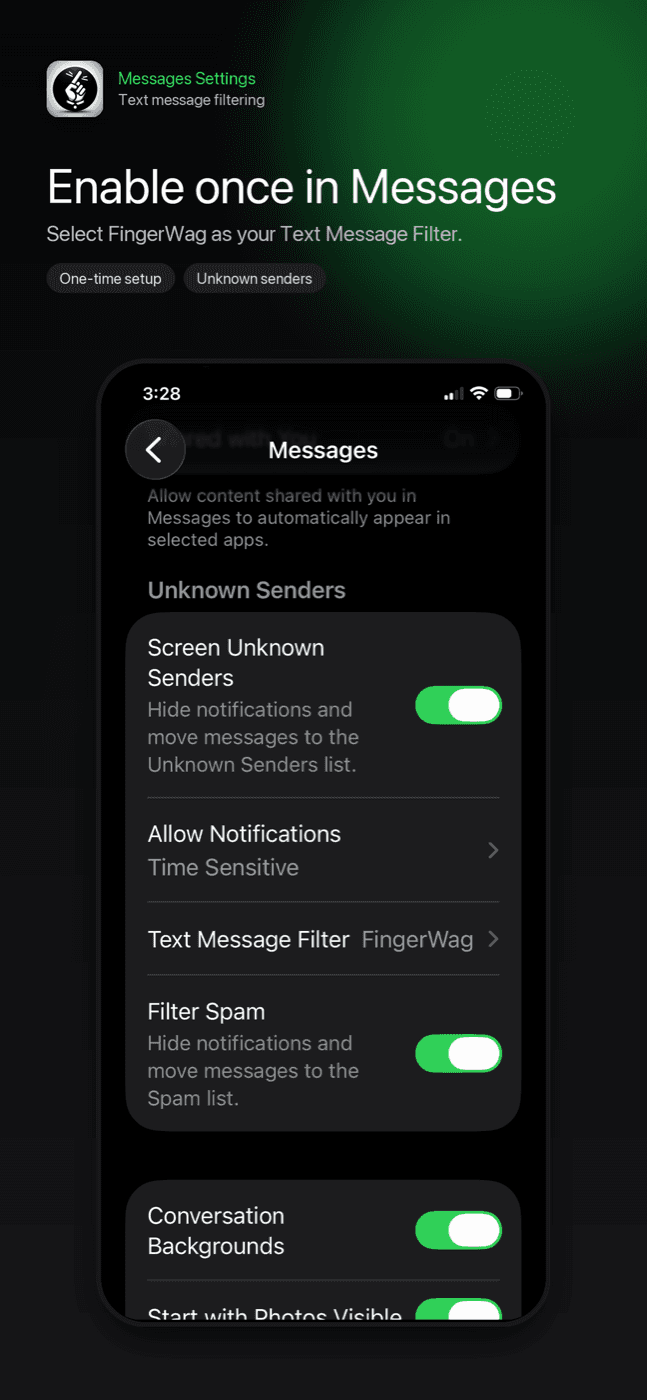
- Open Text Message Filter and enable the filtering controls and installed extension you want to use.
These menu names follow Apple’s iOS 26 guide. For FingerWag, install and open the app first, then enable its extension.
If your iPhone shows older menu names
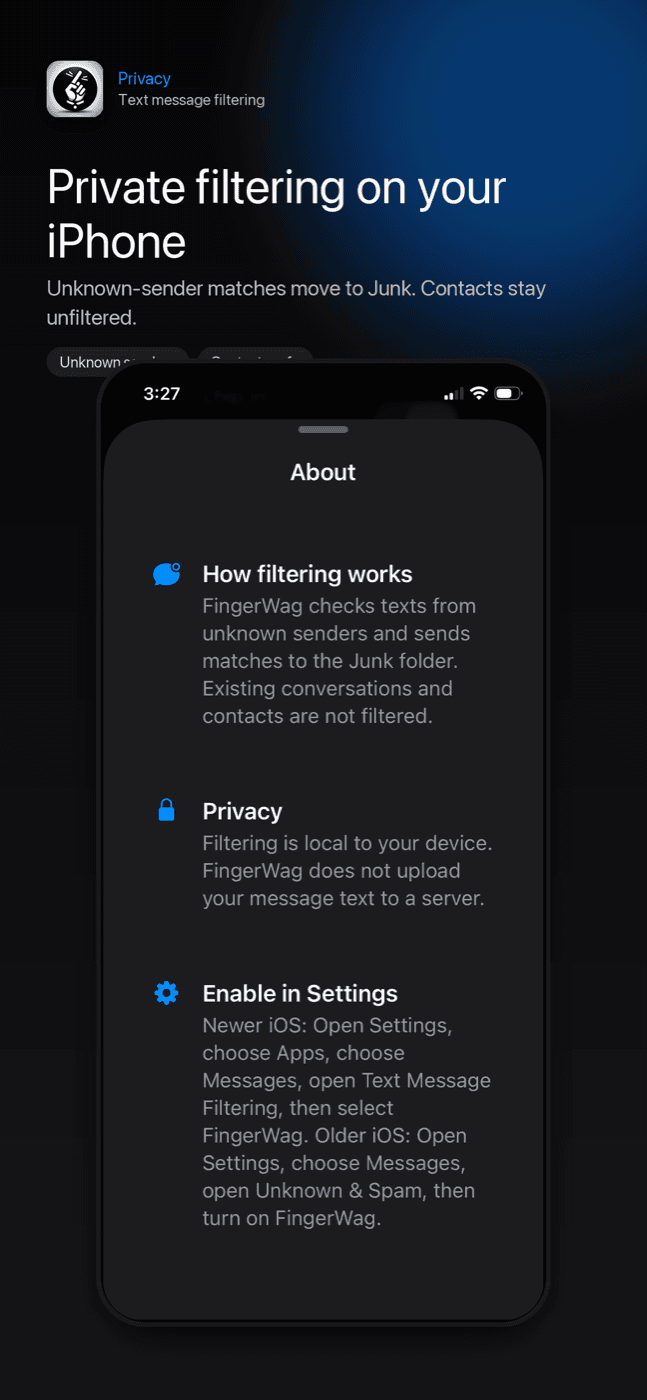
Look in Settings → Apps → Messages for Text Message Filtering. On iOS 17, start at Settings → Messages and look for Unknown & Spam. Select FingerWag in the available SMS-filter list. The app’s setup screen can help you find the controls for your version.
Screening and filtering do not delete messages. Review the filtered folders while setting up rules, and keep wanted senders marked as known. See how to find a missing message.
Text Message Filtering setup
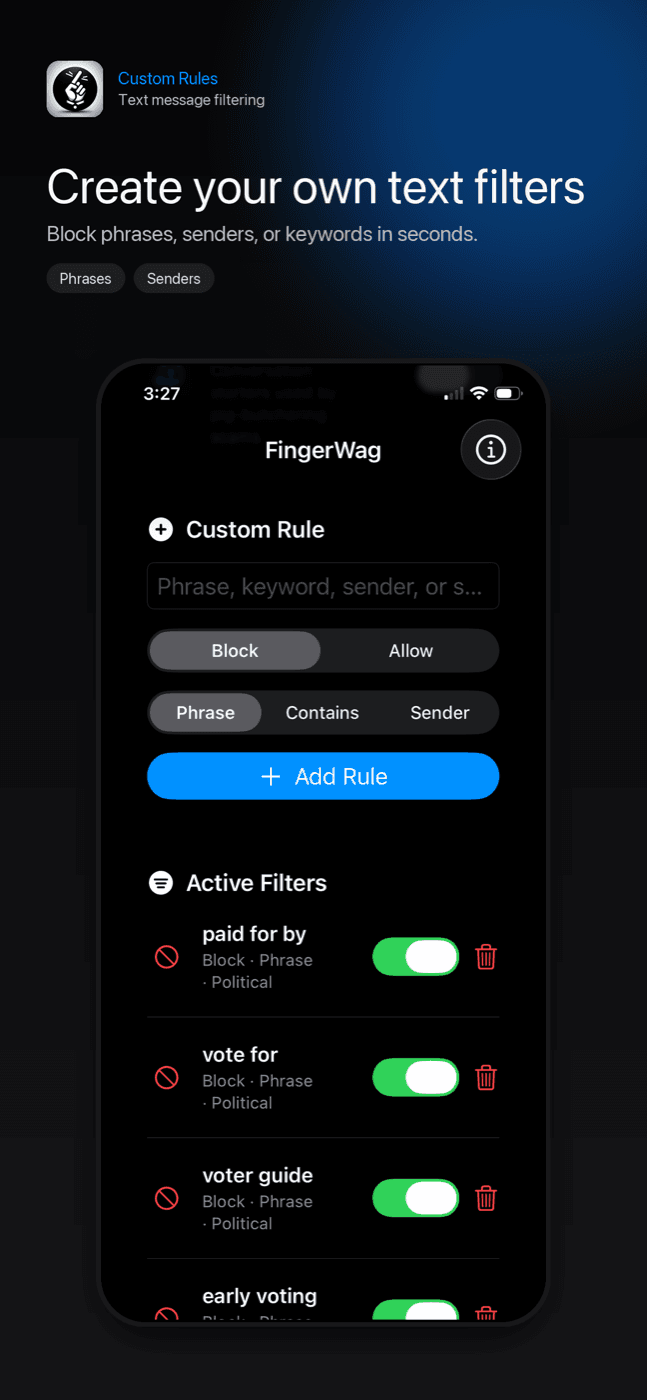
FingerWag works through Apple's message filtering controls, then applies the rule packs and custom filters you choose.
Screen Unknown Senders vs Text Message Filter
These settings are related but not identical. Screen Unknown Senders (Filter Unknown Senders on older versions) helps separate messages from people who are not in your contacts. Text Message Filtering is the setting that lets a selected SMS filter classify unknown messages into categories such as Junk.
FingerWag works through Text Message Filtering. After it is selected there, your FingerWag rules can evaluate unknown-sender messages on the device.
What gets filtered—and what does not
Apple’s screening controls and an app’s SMS filter have different scopes. Apple documents SMS, MMS, and RCS organization in iOS 26; its developer documentation describes the SMS/MMS extension used by filtering apps and excludes iMessage and saved contacts. Do not assume every message type is supported by every app.
This limit is important. A message filter is not the same as full inbox access, and it is not a replacement for saving legitimate contacts. It is a layer for unknown-sender messages where spam, scams, and unwanted campaigns usually appear.
What FingerWag can classify
- Messages matching custom phrases or keywords.
- Recurring delivery, toll, political, fundraising, and scam patterns.
- Known suspicious sender fragments or short-code patterns.
- Rule-pack categories you choose to turn on.
Good rule examples
The best rules are specific enough to catch repeat spam without hiding useful texts. A phrase like "confirm your delivery address" is usually better than a single broad word like "delivery."
- confirm your address
- unpaid toll invoice
- verify your account
- Amazon account locked
- claim your refund
- payment failed
Where filtered messages go—and how to find one
- Open Messages → Filters and check Unknown Senders, Spam, and any categories your selected filter provides.
- For a legitimate conversation in Unknown Senders, open it and choose Mark as Known.
- For a legitimate message in Apple’s Spam folder, open it, choose Not Spam, then Move to Messages.
- If an app rule caused the problem, narrow or remove the matching rule before relying on it again.
Apple’s spam recovery instructions describe the Spam controls; older software or third-party categories may use different labels.
Filtered messages are not deleted by FingerWag. They are classified by iOS so they can be kept away from your main inbox. Check your filtered or Junk views while tuning rules, especially after adding a broad custom phrase.
When filtering works best
- The sender is unknown.
- The same wording keeps coming from new numbers.
- The message uses a repeated scam, delivery, toll, or campaign pattern.
- You can identify a specific phrase, sender fragment, or category.
Why privacy matters
A text filter should not need to upload your messages. FingerWag is designed to process filtering locally on your device.
That design matters because spam texts can include sensitive context: bank names, package details, account alerts, two-factor codes, names, addresses, and links. A private filter should minimize what leaves the phone.
Why text message filtering is not working
First check the sender and message type. Apple says filtering does not apply after you have replied to a sender three times or more. A test from your own saved contact or an iMessage conversation does not establish whether an SMS rule works. Use the app’s rule preview if offered, or review the next eligible incoming message.
- If FingerWag is not selected in Settings, iOS will not use it to filter messages.
- If a sender is saved in Contacts, that conversation may not be treated as unknown.
- If a scam changes wording, add a new custom rule for the new phrase.
- If a message is important, add the sender to Contacts instead of filtering it.
- If a rule catches too much, replace broad words with a longer phrase.
How to test a new rule
- Add one rule at a time.
- Use the most specific phrase from the unwanted message.
- Check filtered or Junk views after enabling the rule.
- If useful messages are caught, make the phrase longer or more specific.
- Remove rules that no longer match the messages you receive.
Use FingerWag as your iPhone SMS filter
After FingerWag is selected in Text Message Filtering, your local rules can classify matching unknown-sender texts and send them to Junk without uploading message content.

iPhone · iOS 17.4 or later · Free download with in-app purchases. See setup steps.
Text message filtering questions
What is Text Message Filtering on iPhone?
Text Message Filtering is the iOS setting that lets you choose an SMS filtering app for eligible messages from unknown senders.
How do I filter text messages on iPhone?
On iOS 26, open Messages, tap Filters, choose Manage Filtering, and turn on Screen Unknown Senders. For an installed filtering app, open Text Message Filter and enable the extension. Older versions may use Text Message Filtering or Unknown & Spam in Settings.
Does Text Message Filtering work on contacts?
iPhone message filtering is focused on unknown senders. Messages from saved contacts and existing conversations are generally treated differently.
Can FingerWag filter text messages on iPhone?
Yes. After FingerWag is selected in Text Message Filtering, it can classify matching unknown-sender messages using local rules you control.