
Block spam texts with FingerWag for iPhone
FingerWag helps you filter spam, scam, and political text messages with rules you control. No uploads. No accounts. No tracking.
Requires iOS 17.4 or later. Free download with in-app purchases; see the App Store for current plans.
A practical spam text blocker for real iPhone users
Most spam text advice tells you to report messages one by one. FingerWag gives you a private rule-based layer for the messages you already know you do not want.
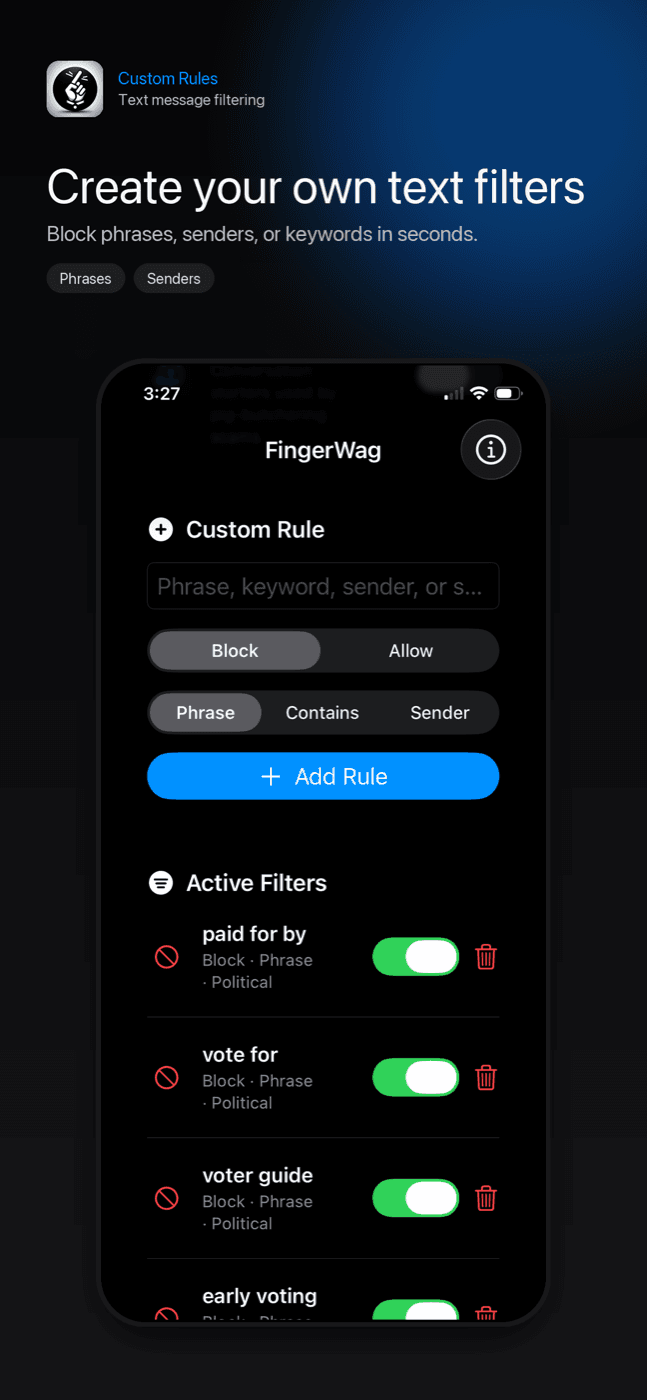
Filter by phrase
Block recurring phrases like donation pushes, fake delivery warnings, survey messages, or campaign disclaimers.
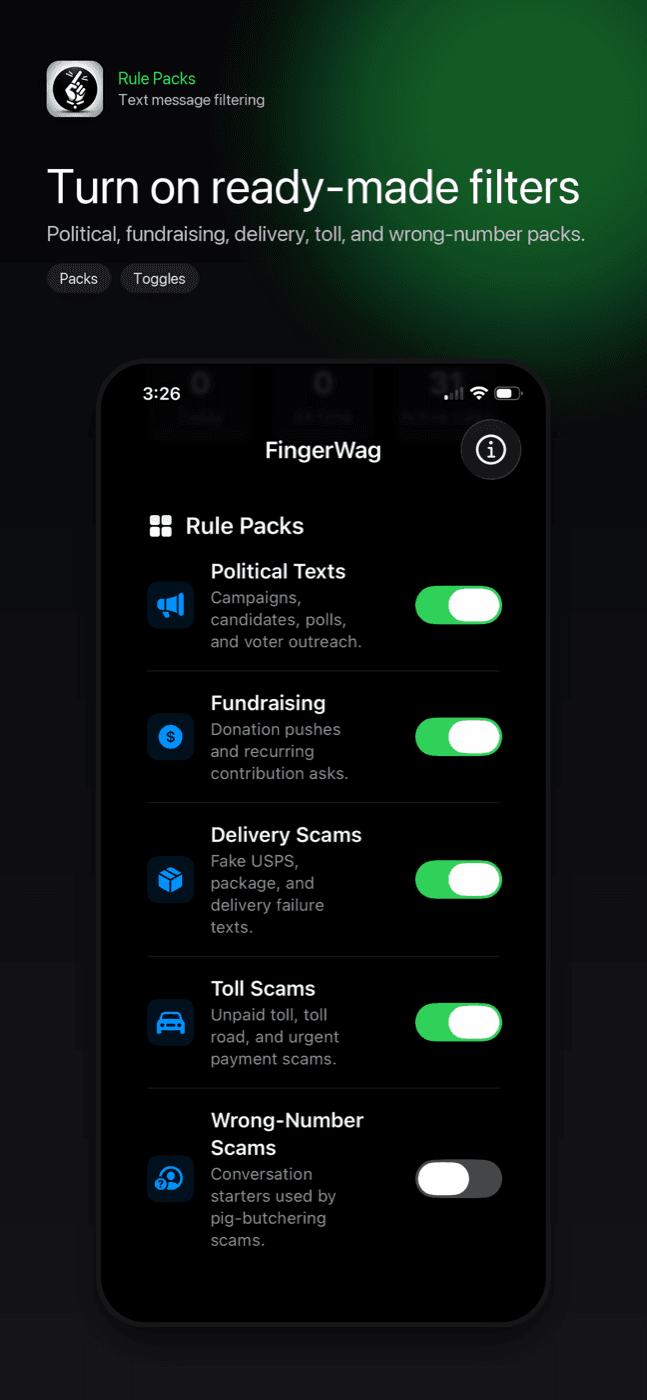
Use rule packs
Start with built-in packs for political texts, fundraising, delivery scams, and other common spam patterns.
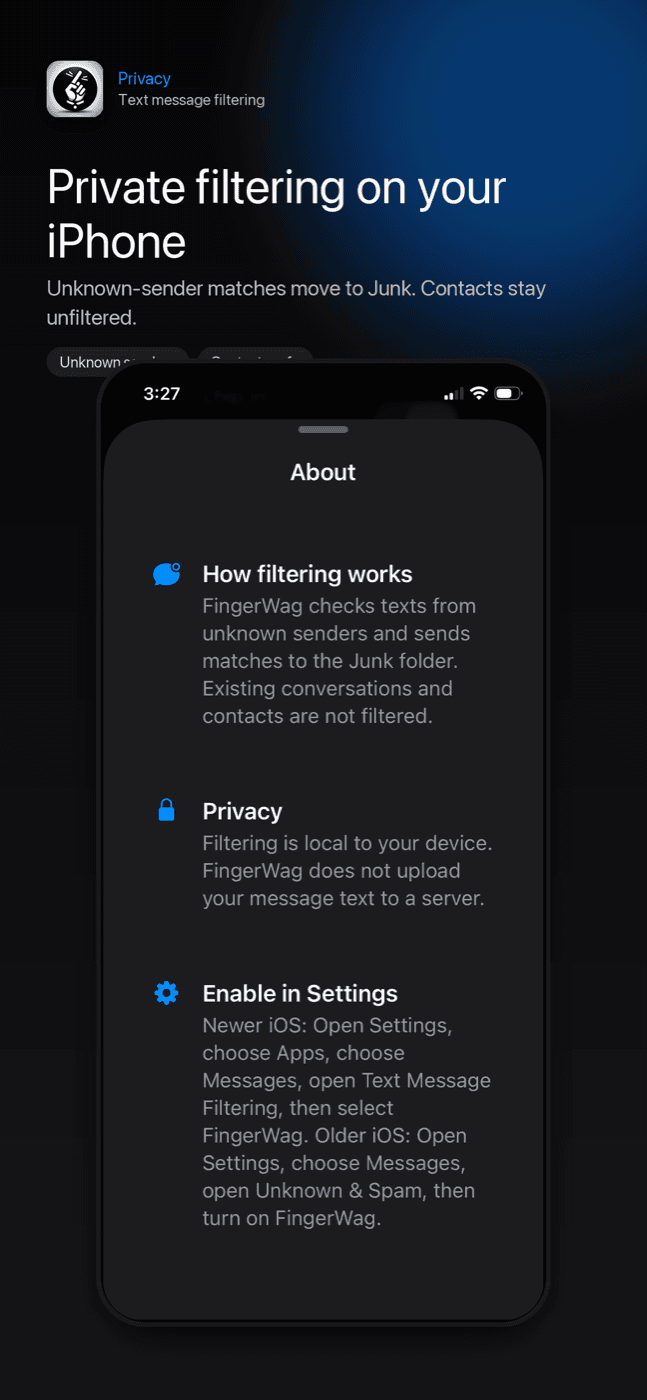
Stay private
Filtering runs locally on your iPhone. FingerWag does not need an account and does not upload message text to a server.
FingerWag in the iPhone filtering flow
Use ready-made packs, add custom rules, and enable FingerWag in Messages so repeated unknown-sender spam is easier to manage.
How to enable text filtering
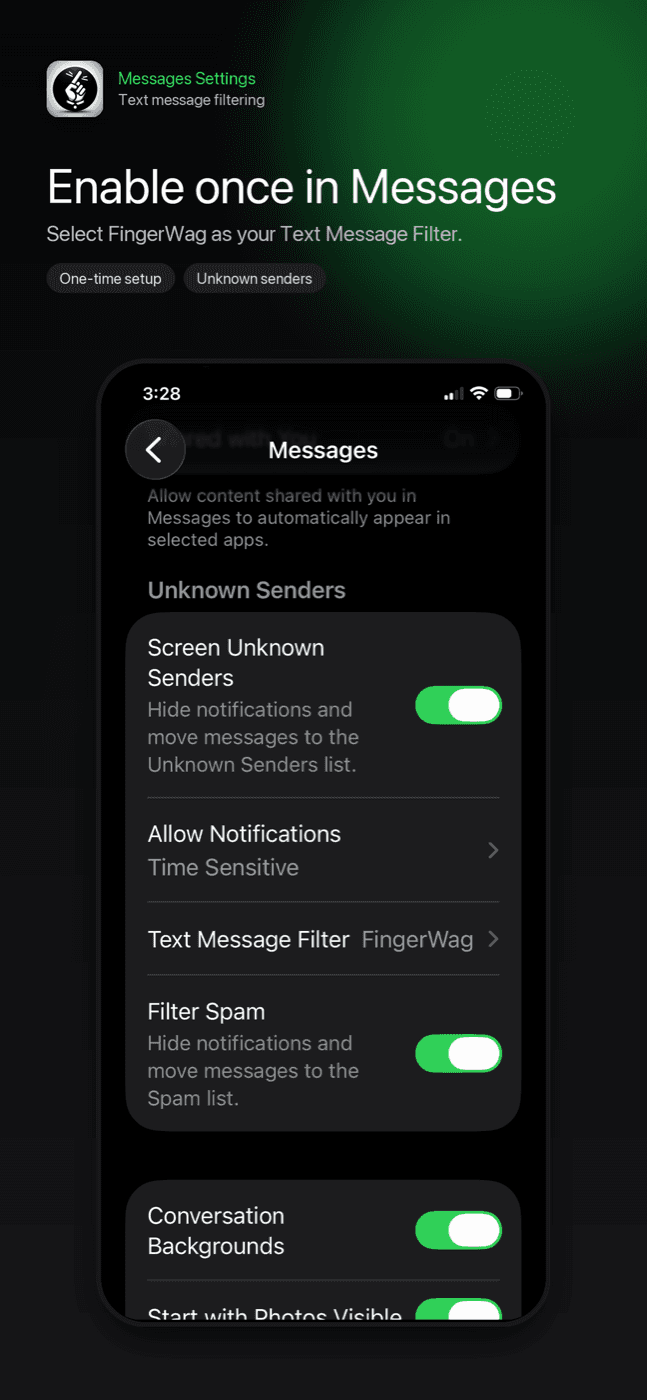
After installing FingerWag, turn it on in iOS Messages settings. Apple requires this step before any SMS filter can work.
Open filtering controls
On iOS 26, open Messages → Filters → Manage Filtering.
Choose Text Message Filter
Enable screening and open the text-filter controls. Older versions use Text Message Filtering or Unknown & Spam.
Select FingerWag
Enable FingerWag’s installed extension, then choose rule packs or custom filters in the app.
Learn how to stop spam texts
Start with the core guides for reducing spam texts, reporting suspicious messages, choosing a blocker, and filtering repeated unknown-sender patterns on iPhone.
How to stop spam texts
The main guide for safe link habits, reporting, sender blocking, iPhone filtering, and private text rules.
Block spam texts on iPhone
The iPhone workflow for blocking repeat senders, enabling message filtering, and handling recurring spam language.
Spam text and iPhone filtering guides
Browse the complete guide library for spam texts, scam texts, reporting, 7726 forwarding, and iPhone filtering.
Text Message Filtering
Understand Apple’s setting and how third-party filters work.
Best spam text blocker
Compare privacy, setup, custom rules, and honest iPhone limits.
Report spam texts
Use Report Junk, carrier reporting, and FTC reporting safely.
Forward spam to 7726
Report unwanted texts to your carrier using the spam short code.
Smishing text scams
Recognize SMS phishing links and filter repeated scam patterns.
Political text messages
Use the related FingerWag guide for campaign and fundraising texts.
Toll scam texts
Spot fake toll payment messages and filter repeat scams.
USPS scam texts
Avoid fake package links and delivery address scams.
Amazon scam texts
Check fake order, refund, and account alert messages safely.
Wrong number scams
Recognize casual texts that turn into money or crypto asks.
Spam group texts
Handle unwanted group messages without confirming your number.
Get FingerWag for iPhone
FingerWag is available on the App Store for iPhone. Download it directly from Apple.

App Store reviews
5.0 out of 5 from 3 ratings in the US App Store, checked September 7, 2026. See current ratings.
No more political texts
Great app. Works well
Political Silence!!!
No more unsolicited spam texts. Incredible
Spam text questions
Can an iPhone app block spam texts?
An iPhone message filter can classify texts from unknown senders and send matching messages to Junk. FingerWag uses local rules so you control which phrases, senders, and categories are filtered.
Does FingerWag upload my text messages?
No. FingerWag is designed for on-device filtering. Your rules and filtering decisions stay on your iPhone.
Can FingerWag stop political texts too?
Yes. FingerWag includes rule packs and custom rules that can filter political campaign messages, fundraising texts, survey texts, and other unwanted messages from unknown senders.